Quanta Intellect — Tools for the AI agent era

Vessel Browser

The browser where
agents drive

Vessel gives AI agents a real Chromium browser with persistent sessions, MCP control, page-change tracking, and a visible human supervision layer.

Open-source core. $5.99/mo Premium for advanced agent tools. 7-day free trial, cancel anytime.

$ npm i @quanta-intellect/vessel-browser
Open Source · MIT
MCP-Native
Linux-first · Windows available
80+ Agent Tools
60 stars
8.4K+ NPM downloads
MIT licensed

Full autonomous loop — no human input

One prompt. Five books added to cart on Powell’s. The agent navigates, browses, selects, and completes the entire workflow autonomously while you watch.

2 min 53 sec
powells.com
5 books → cart
Zero human input

Built for agents,
not against them

Traditional browsers assume a human at the helm. Vessel inverts that model — the agent is the primary operator, and every surface is designed for programmatic control with human oversight.

Agent-First Design

Not a human browser with agent bolted on. Every interaction surface — tools, state, context — is built for autonomous operation.

Core Architecture

MCP-Native Control

Full Model Context Protocol integration with 80+ tools. Navigate, interact, extract, and manage state through structured protocol calls.

Protocol

Persistent Sessions

Named sessions preserve cookies, localStorage, and tab layout. Annotated checkpoints and action undo give humans safe recovery points before risky flows.

State Management

Human Supervision

Supervisor sidebar spans seven tabs: Supervisor, Bookmarks, Checkpoints, Chat, Automate, History, and Changes. Pause, approve, undo, or redirect live.

Oversight

Semantic Page Context

Page schema inference labels page type, entities, forms, fields, and action buttons. Extraction includes visibility, disabled state, values, and overlays.

Intelligence

Dev Tools & Command Bar

Built-in developer tools with console, network, and MCP activity logs. Command bar for harness-driven workflows. Reader mode for clean extraction.

Developer Experience

Page Diff & What Changed

Vessel snapshots visited pages and surfaces a Changed badge when title, headings, or content differ. Premium adds a sidebar timeline of change bursts.

Change Intelligence

Autofill, Highlights & Bookmarks

Reusable profiles fill forms. Highlights persist across navigation. Agent-facing bookmarks store intent, expected content, key fields, hints, and page schema.

Interaction

Transcript & Workflows

Live agent thinking renders in a floating dock. Multi-step workflows and premium Automation Kits show progress in the sidebar while the agent executes.

Observability

Security & Privacy

Address-bar padlock with TLS certificate details, per-tab security state, private browsing mode for isolated sessions, and one-click browsing data clearing.

Browser Essentials

Three layers, one flow

Vessel sits between your agent harness and the web, providing structured control with human oversight at every step.

Agent Harness
MCP Client
Hermes, OpenClaw, or any MCP-compatible agent
Tool Calls
navigate, click, type, extract, diff, undo, save_session…
Context Window
Semantic page context, not raw HTML
MCP
Vessel Runtime
MCP Server
Receives tool calls, validates, routes
Browser Engine
Chromium with persistent state and session management
Ergonomic Layer
Semantic hints, contextual tools, flow state, page-change snapshots
IPC
Human Supervisor
Supervisor Sidebar
Live view of agent actions with approve/deny controls
Approval Policies
Configure auto-approve, require-approval, or deny rules
Checkpoint Recovery
Restore to a named checkpoint or the snapshot before the last mutating action

Your keys, your models

Run Vessel as an MCP server through your agent harness, or use the built-in chat assistant with your own API keys. Nine providers supported out of the box — plus any OpenAI-compatible endpoint.

MCP Server Mode

External agent harness controls the browser via Model Context Protocol

Integrated Chat

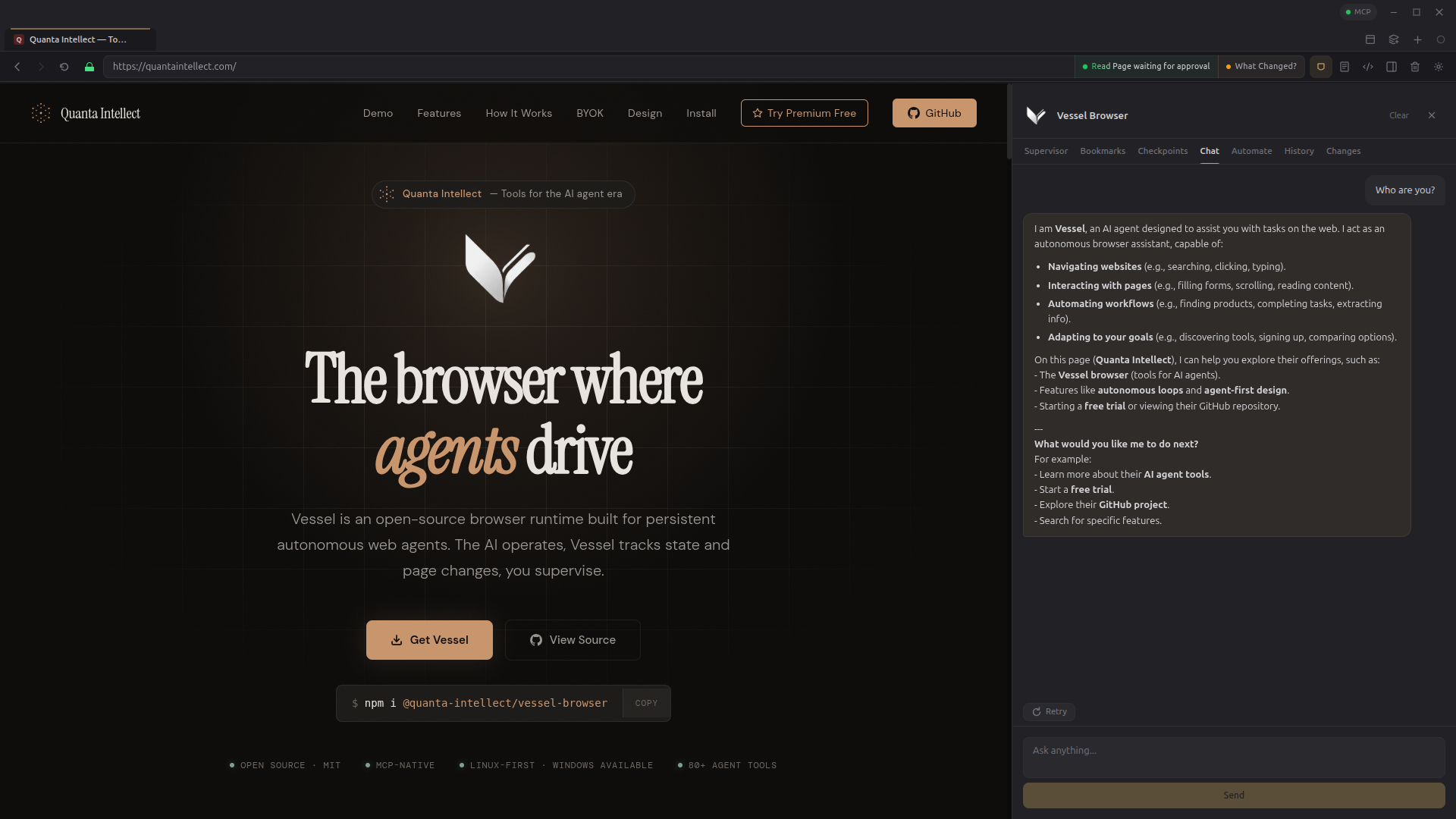
Built-in sidebar assistant reads the page, uses browser tools, multi-turn history

Anthropic OpenAI Ollama llama.cpp Mistral xAI Google Gemini OpenRouter Custom OAI-Compatible
Vessel Browser hero view
Integrated chat assistant · Supervisor sidebar · View full size

The Vessel Harness
for agents

A purpose-built runtime that encodes web browsing workflow so agents don't have to think about which tool to use — every interaction surface is designed for autonomous operation from the start.

  • 1

    Contextual Tool Surfacing

    On a login form, the agent only sees login-relevant tools

  • 2

    Semantic Action Hints

    Elements annotated with workflow context and step progress

  • 3

    Flow State Persistence

    Workflow state maintained across page navigations

  • 4

    Composable Macros

    Login, search, checkout — common patterns as single actions

  • 5

    Progressive Disclosure

    Tools revealed by layer — core, navigation, intelligence, diagnostic

core snapshot · click · type
navigation scroll · back · forward
interaction select · hover · submit
intelligence extract · read_page · wait_for
state session · checkpoint · bookmark
diagnostic console · network · inspect

Up and running in seconds

Four ways to install. Pick whichever fits your workflow.

Option 2
AppImage
Single file, no dependencies. Download and run. Manual updates required.
$ chmod +x Vessel-*.AppImage
$ ./Vessel-*.AppImage
Option 3
Source
Clone and build from source. Full control. For contributors and power users.
$ curl -fsSL https://raw.githubusercontent.com/
  unmodeled-tyler/vessel-browser/
  main/scripts/install.sh | bash
Option 4
Snap Store
Install from the Snap Store. Auto-updates included. Available on any Linux distro with snapd.

Unlock the full toolkit

Vessel is free and open source. Premium unlocks advanced capabilities for power users and production agent workflows, including full page-change history.

  • Screenshot & vision analysis — the agent sees exactly what you see, even when page extraction fails
  • Session management — save and restore authenticated browser states across runs. Log in once, reuse forever
  • Obsidian vault integration — capture pages, write research notes, and search your knowledge base directly from the agent
  • Workflow tracking — multi-step flow state persistence for complex automation sequences
  • DevTools inspection — computed styles, console capture, network monitoring, and CDP-level debugging
  • Table extraction — structured data extraction from HTML tables into clean JSON
  • Agent Credential Vault — encrypted credential storage with blind-fill logins, TOTP 2FA, user consent dialogs, and append-only audit logs
  • Human Password Manager — personal credential vault with encrypted storage, auto-fill across sites, and separate from agent credentials
  • Automation Kits — parameterized workflow templates the built-in agent executes autonomously, from research to price comparison
  • What Changed Timeline — persisted per-page change history in the sidebar Changes tab, with timestamps and compact summaries for each detected update
  • Session performance metrics — per-tool call counts, average durations, error rates, and total session statistics
  • Unlimited tool iterations — configurable up to 1,000 tool calls per conversation turn (free tier: 50)
Premium
$5.99 / month
7-day free trial — cancel anytime
Start Free Trial

Payment handled securely by Stripe. After checkout, enter your email in Vessel Settings > Premium to activate.

The free tier is not a demo. Core navigation, page reading (including glance mode), clicking, typing, scrolling, bookmarks, highlights, action undo, autofill profiles, per-tab ad blocking, the Changed badge, domain policies, browsing history, private browsing mode, clear browsing data, and 50 tool iterations per turn are all free and always will be. Vessel is MIT-licensed open source — premium is for users who want the advanced toolkit.